SW Agent: Bridge agent that connects Schema Weaver browser IDE to user's PostgreSQL databases.
Deep-dive into the architecture of SW Agent — a lightweight daemon that bridges browser IDEs to PostgreSQL databases without exposing credentials to the cloud.
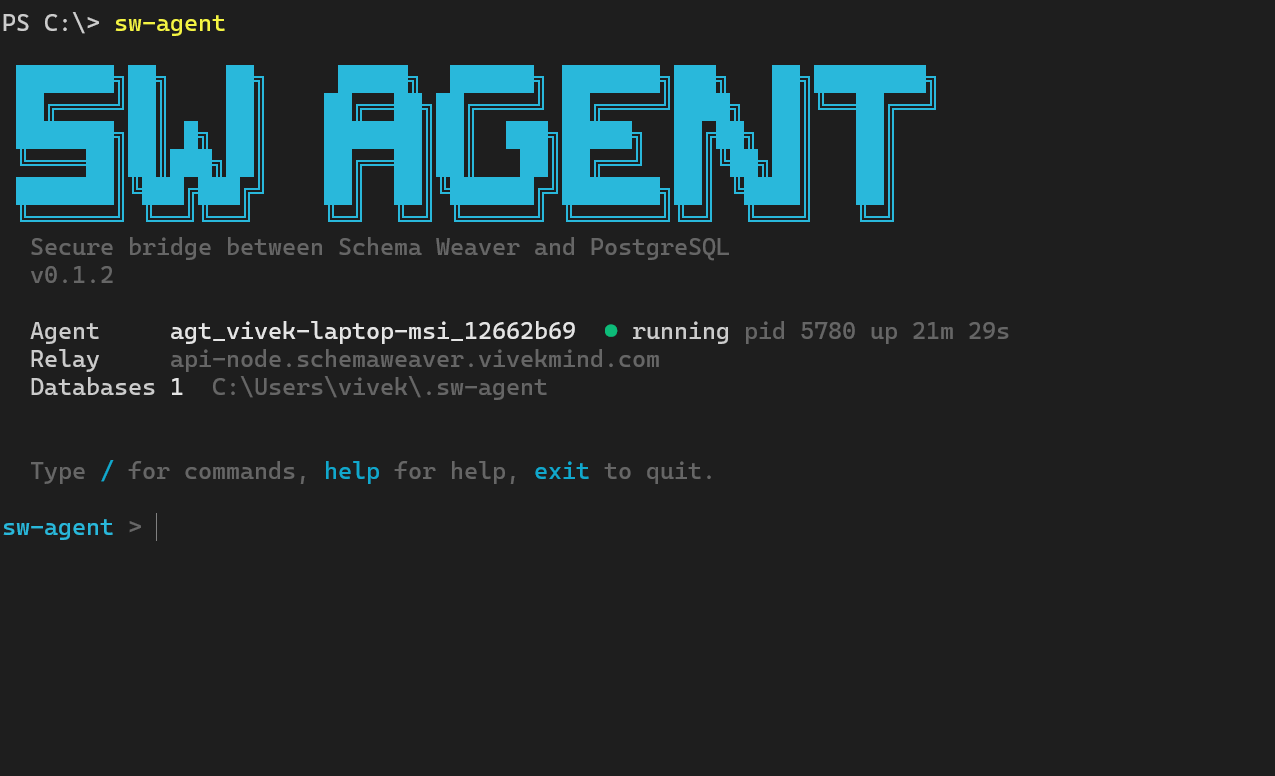
SW Agent: Bridge agent that connects Schema Weaver browser IDE to user's PostgreSQL databases. Runs near the DB, never exposes credentials, executes queries and migrations on demands
A lightweight daemon that bridges browser IDEs to PostgreSQL databases without exposing credentials to the cloud. This is the architecture behind
npm i @vivekmind/sw-agent— the connector that lets Schema Weaver run real queries against your real database without your connection string ever leaving your machine.
Note: SW Agent is not an AI agent. The word "agent" here means a connector — a trust-boundary process that runs near your database and bridges browser sessions to PostgreSQL. This post covers the architecture, trust model, protocol, and security analysis of that connector.
1. The Problem We're Solving
Browser-based database IDEs face a fundamental trust problem: browsers cannot safely hold PostgreSQL credentials. A browser tab runs in a context the user doesn't fully control — browser extensions, developer tools, potential XSS vectors. Storing a database password in localStorage or sessionStorage is a non-starter for any production system.
Existing solutions fall into two camps, both problematic.
Cloud-hosted database tools (Prisma Studio Cloud, pgAdmin web mode, DBeaver Cloud) require you to either expose your PostgreSQL instance to the internet or give your credentials to a third-party service. For teams with databases in VPC private subnets, this is a non-starter. Even for cloud databases like Supabase or Neon, many organizations have policies against credential sharing with third parties.
Self-hosted web interfaces (pgAdmin server mode) require you to run a server with credentials and expose it via HTTP. This creates operational complexity — you need TLS certificates, authentication systems, and network access. It also means the server has credentials that could be exfiltrated.
SW Agent takes a different approach: a small daemon that runs near the database, holds credentials locally, and talks to the browser through a cloud relay. The agent makes outbound-only connections, so it works behind NAT, corporate firewalls, and VPC security groups without inbound ports. Credentials never leave the machine where the agent runs.
This design matters for three scenarios:
- VPC private subnets: Your RDS instance lives in a private subnet. The agent runs on an EC2 instance inside the same VPC, and the browser connects through the cloud relay. No VPN, no bastion host SSH tunneling.
- Cloud databases (Supabase, Neon, AWS): The agent runs on your laptop. You're not giving your connection string to our cloud — you're giving it to a process running on your own machine.
- Team collaboration: One agent token is shared by a team, but every action is logged with the acting user's ID and role. The audit log creates accountability even though the database only sees one PostgreSQL user.
2. High-Level Architecture
┌─────────────────┐       WSS        ┌─────────────────┐       WSS       ┌─────────────────┐
│    Browser      │◄────────────────►│   Cloud Relay   │◄───────────────►│    SW Agent     │
│  (React SPA)    │   www.worker-    │   (Node.js)     │                 │   (TypeScript)  │
│                 │     pod.io        │                 │                 │                 │
└─────────────────┘                  └─────────────────┘                 └────────┬────────┘
                                                                               │
                                                                               │ pg protocol
                                                                               │
                                                                      ┌────────▼────────┐
                                                                      │   PostgreSQL    │
                                                                      │   (Your DB)     │
                                                                      └─────────────────┘

┌─────────────────┐
│   Audit Log     │  ◄── Written by agent, local disk, hash-chained
│ (JSONL + SHA256)│
└─────────────────┘
Why each hop exists:
- Browser → Cloud Relay: The browser cannot connect directly to the agent (the agent has no public IP). The relay provides a well-known endpoint that browsers can reach. Crucially, the relay does NOT terminate TLS for PostgreSQL traffic — it just forwards encrypted WebSocket frames.
- Cloud Relay → SW Agent: The agent initiates an outbound WebSocket connection to the relay. This is the key to NAT/firewall traversal. The agent never listens on any port.
- SW Agent → PostgreSQL: Standard
node-postgres(pg) connection pool. The agent holds the password in memory (read from an environment variable at startup) and creates connections to PostgreSQL using thepglibrary.
The audit log is a local JSONL file with a SHA-256 hash chain. Every action — query, migration, introspection, cancellation — is logged with the user's ID, role, decision (allow/deny), and outcome. Because one agent token is shared by a team, the audit log provides accountability.
3. The Trust Model
Understanding what is trusted versus untrusted is critical to evaluating any security architecture.
What is Trusted
The Agent is fully trusted. It holds database credentials in memory (sourced from OS environment variables), enforces permission policies, and writes the audit log. If an attacker compromises the agent process, they have full database access — but they would need root/admin access to the machine first, at which point you have bigger problems.
PostgreSQL is trusted but dumb. PG only knows the agent's PostgreSQL user — it doesn't know which human initiated the query. This is why the audit log exists: to map database actions back to human users.
What is Semi-Trusted
The Cloud Relay is semi-trusted. It can see:
- Encrypted WebSocket frames flowing between browser and agent
- Agent IDs and browser session IDs (for routing)
- Message timestamps and sizes
It cannot see:
- PostgreSQL passwords (never transmitted through relay)
- SQL query contents (encrypted inside WebSocket frames, terminated by agent)
- Query results (encrypted, terminated by agent)
The relay could deny service, route messages incorrectly, or log metadata. It could not directly query your database. This is analogous to how a VPN concentrator is semi-trusted: it can see packet headers and timing, but not payload if you use end-to-end encryption.
What is Untrusted
The Browser is untrusted. Any code running in a browser tab could be compromised — XSS, malicious browser extension, or a user who just wants to bypass restrictions. The permission system assumes the browser might send any SQL, claim any intent, and request any action.
Anti-spoofing: When the browser sends a query with intent: 'read', the agent re-parses the SQL using its own classifier (src/execution/statement-classifier.ts) and rejects if the SQL is actually a DELETE or DROP. The browser's claimed intent is advisory only.
The Credentials-Never-Leave Principle
The phrase "credentials never leave the machine" is precise: the PostgreSQL password is read from an environment variable (password_env in databases.config.json), stored in the agent process's memory, and used only to authenticate connections to PostgreSQL. It is never:
- Written to disk
- Logged
- Transmitted over the network (except directly to PostgreSQL during connection negotiation)
- Visible to the cloud relay
- Visible to the browser
What exits the machine are query results, encrypted inside WebSocket frames, addressed to the cloud relay, destined for a specific browser session.
4. Network Topology
SW Agent supports three deployment tiers, each with different network requirements.
Tier A: Local Development
┌─────────────┐      WSS       ┌─────────────┐
│   Browser   │◄──────────────►│ Cloud Relay │
│  (Chrome)   │                 └─────────────┘
└─────────────┘                       ▲
                                      │ WSS (outbound)
                                      │
┌─────────────┐                       │
│  SW Agent   │───────────────────────┘
│  (laptop)   │─────── pg ────────►
└─────────────┘
      │
      ▼ localhost:5432
┌─────────────┐
│  PostgreSQL │
│  (Docker)   │
└─────────────┘
Ports: Agent makes outbound WSS to port 443. PostgreSQL listens on localhost:5432.
Use case: Developer working with a local Postgres container. The browser connects through the public relay, but data never leaves the laptop.
Tier B: Cloud Database
┌─────────────┐      WSS       ┌─────────────┐
│   Browser   │◄──────────────►│ Cloud Relay │
│  (anywhere) │                 └─────────────┘
└─────────────┘                       ▲
                                      │ WSS (outbound)
                                      │
┌─────────────┐                       │
│  SW Agent   │───────────────────────┘
│  (laptop)   │─────── pg ────────►
└─────────────┘
                              ┌─────────────┐
                              │  Supabase   │
                              │  (AWS RDS)  │
                              └─────────────┘
Ports: Agent makes outbound WSS to port 443, outbound PostgreSQL connection to your Supabase/Neon host on port 5432.
Firewall requirements: Allow outbound HTTPS (443) and PostgreSQL (5432).
Use case: Developer working on a staging database hosted on Supabase. Credentials stay on the laptop.
Tier C: VPC Private Subnet
┌─────────────┐      WSS       ┌─────────────┐
│   Browser   │◄──────────────►│ Cloud Relay │
│  (anywhere) │                 └─────────────┘
└─────────────┘                       ▲
                                      │ WSS (outbound via NAT)
                                      │
┌─────────────────────────────────────┴───────────────────────┐
│  VPC (private subnet)                                       │
│                                                             │
│  ┌─────────────┐                                            │
│  │  SW Agent   │─────── pg ────────►                       │
│  │  (EC2)      │                                            │
│  └─────────────┘                                            │
│                         ┌─────────────┐                     │
│                         │  RDS PG     │                     │
│                         │  (private)  │                     │
│                         └─────────────┘                     │
└─────────────────────────────────────────────────────────────┘
Ports: Agent makes outbound WSS (via NAT gateway or VPC endpoint) to port 443. PostgreSQL connection stays within VPC.
Security groups:
- Agent EC2: outbound 443 to internet, outbound 5432 to RDS security group. No inbound rules required.
- RDS: inbound 5432 from agent security group only.
Use case: Production database access from browser. The agent runs inside the VPC, close to the database. No VPN required for developers.
Outbound-Only Architecture
The agent never opens a listening socket. All connections are outbound:
- SSE wake channel: Outbound HTTPS GET to
https://<relay>/agent/wake - WSS data channel: Outbound WebSocket to
wss://<relay>/agent/data
This means:
- Works behind NAT (home routers, corporate networks)
- Works behind stateful firewalls that allow outbound HTTPS
- No port forwarding or DNAT configuration
- No public IP required on the agent machine
5. The Two-Channel Protocol Design
SW Agent uses two separate channels: a SSE wake channel and a WSS data channel. This design was inspired by WhatsApp's architecture, which famously uses a long-lived TCP connection for presence + short-lived connections for message delivery.
Why Two Channels?
Problem with one persistent WSS: If you keep a WebSocket open for hours, it looks like an idle TCP connection. Middleboxes (NATs, corporate proxies, mobile carriers) may terminate idle connections after 5-30 minutes. Heartbeats help, but they consume battery on mobile and bandwidth everywhere.
WhatsApp's insight: Keep an ultra-lightweight channel open just to say "hey, you have a message." When there's work to do, open a data connection, do the work, close it.
SSE Wake Channel
GET /agent/wake HTTP/1.1
Authorization: Bearer swagt_7Kk2mP9xQr4T...
X-Agent-Id: agt_laptop_a1b2c3d4
Accept: text/event-stream

HTTP/1.1 200 OK
Content-Type: text/event-stream
Cache-Control: no-cache

event: wake
data: {"wake_id":"w_123","reason":"browser_request","browser_session_id":"bs_xyz",...}
Characteristics:
- Server-Sent Events (SSE): HTTP GET, unidirectional server push
- Always alive: reconnects immediately on disconnect with exponential backoff
- Ultra-light: ~100 bytes per event, ~5-minute keepalive interval
- No client payload: browser can't send queries over this channel
Why SSE instead of WSS for wake?
- SSE is plain HTTP, easier to debug with
curl - Works in environments that block WebSocket upgrades but allow long-polling
- Less overhead than WebSocket handshake for a channel that rarely carries data
Keepalive: Every 5 minutes (DEFAULTS.WAKE_KEEPALIVE_MS = 300_000), the relay sends a ping wake event. If the agent hasn't received any event in 5 minutes, it triggers a reconnect (src/channels/wake-channel.ts:80-84).
WSS Data Channel
WebSocket wss://relay.io/agent/data?token=...&agent_id=...&session=...

Frames (binary):
┌─────────────────────────────────────────┐
│ {"v":1,"id":"req_123","type":"query",...} │
└─────────────────────────────────────────┘
Characteristics:
- WebSocket (WSS): bidirectional, binary frames
- On-demand: opened only when the wake channel signals
browser_request - 60-second idle timeout: closes after 60s with no activity (
DEFAULTS.IDLE_WSS_TIMEOUT_MS) - Carries all request/response traffic: query, stream_query, migration_run, introspect, cancel
Why on-demand instead of always-alive?
If 10,000 agents are connected and each keeps a WSS socket open, that's 10,000 file descriptors and TCP buffers on the relay. Most agents are idle 99% of the time. By closing the data channel after 60s idle, the relay scales to many more agents.
Reconnection Strategy
SSE Wake Channel (src/channels/reconnect.ts):
- Exponential backoff: 1s, 2s, 4s, 8s, 16s, 32s, 60s, 60s, ...
- Capped at 60s to prevent long waits
- Jitter ±20% to prevent thundering herd after relay restart
- On successful connect, reset backoff counter
WSS Data Channel:
- No automatic reconnect: closed after idle timeout
- Next browser request triggers a new wake event → new data channel
What Happens When Network Drops Mid-Query?
- Agent is streaming a large result set. Network goes down.
- WSS data channel closes (
closeevent with code 1006 = network error) - Agent's
DataChannelstate transitions toclosed - Agent's
AgentSessiontracks the in-flight request (inFlightRequestsmap) - Browser reconnects (new wake event with
request_idfield) - Agent sends
resume_requestevent to browser - Browser re-sends the query with the same
request_id
If the browser doesn't reconnect within 5 minutes (DEFAULTS.ORPHAN_REQUEST_TIMEOUT_MS), the agent cancels the query and releases the connection.
6. Message Protocol
Every message between browser, relay, and agent uses the same envelope format.
Single Envelope Format
{
  "v": 1,
  "id": "uuid-v4-here",
  "type": "query",
  "project": "myapp",
  "user": {
    "id": "user_123",
    "role": "developer"
  },
  "db_alias": "prod",
  "ts": 1706140800000,
  "payload": {
    "sql": "SELECT * FROM users LIMIT 10",
    "intent": "read",
    "timeout_ms": 30000
  }
}
Fields:
v: Protocol version (currently 1)id: UUID v4, generated by sender. Used for request/response correlation and cancellation.type: One of 11 message types (see below)project: Project name, must matchproject_nameindatabases.config.jsonuser: Acting user ID and role. The browser sets this; the agent trusts the relay to have authenticated the user.db_alias: Which database alias within the projectts: Sender's epoch milliseconds, for audit and orderingpayload: Type-specific payload
11 Message Types
| Type | Direction | Description |
|---|---|---|
ping | B→A | Liveness check, returns pong response |
introspect | B→A | Request full schema snapshot |
query | B→A | One-shot query, returns full result |
stream_query | B→A | Streaming query, returns stream_chunks then stream_end |
migration_run | B→A | Execute DDL migration |
cancel | B→A | Cancel in-flight request by target_id |
response | A→B | Success response to a request |
error | A→B | Error response (includes error code, retryable flag) |
stream_chunk | A→B | One chunk of streaming result |
stream_end | A→B | Terminal message for streaming query |
event | A→B or B→A | Asymmetric events: migration progress, approval requests, plan registration |
Request/Response Correlation
Every request has a unique id field. The agent's response includes that id in the payload.request_id field:
// Request
{"v":1,"id":"req_abc",...,"type":"query","payload":{...}}

// Response
{"v":1,"id":"resp_xyz",...,"type":"response","payload":{"request_id":"req_abc","ok":true,"data":{...}}}
This allows the browser to match responses to requests, even when multiple requests are in-flight.
Error Catalog: 35+ Codes
Defined in src/protocol/errors.ts. Key categories:
Fatal errors (tear down connection):
invalid_message,unknown_message_type,protocol_version_mismatchauth_failed,token_expiredconfig_invalid,config_not_found
Retryable errors:
db_unavailable,db_pool_exhaustedquery_timeoutrate_limited,channel_closed
Non-retryable:
permission_denied,role_insufficientapproval_timeout,approval_deniedmigration_statement_failed
Each error has fatal: boolean and retryable: boolean flags, plus a recovery_hint string for the browser UI.
Full Query Round-Trip Example
1. Browser sends query request
   → {"v":1,"id":"req_1","type":"query","project":"myapp","user":{"id":"alice","role":"admin"},
      "db_alias":"prod","ts":1706140800000,"payload":{"sql":"SELECT 1","intent":"read"}}

2. Relay forwards to agent (adds routing metadata internally)

3. Agent receives, validates envelope, validates payload
   → PermissionChecker.check(): role=admin, permission_level=full → allowed
   → Dispatcher.handle() → QueryRunner.runOneShot()

4. Agent executes against PostgreSQL
   → PoolManager.acquire() → pg Pool connection
   → client.query("SELECT 1")
   → Result: {rows: [["1"]], rowCount: 1}

5. Agent sends response
   ← {"v":1,"id":"resp_2","type":"response","project":"myapp","user":{"id":"alice","role":"admin"},
      "db_alias":"prod","ts":1706140800100,
      "payload":{"request_id":"req_1","ok":true,"data":{"columns":[...],"rows":[["1"]],...},"ms":100}}

6. Relay forwards response to browser
7. Permission System
SW Agent enforces permissions on two dimensions: project permission level and user role.
Four Permission Levels
| Level | Allows |
|---|---|
read_only | Only SELECT queries |
auto_upgrade | Reads + pre-registered migrations auto-approved |
manual | Every write/DDL requires browser approval (60s timeout) |
full | No restrictions (role check still applies) |
Permission level is set in databases.config.json per database entry (via permission_override) or defaults from sw-agent.config.json (default_permission).
Four User Roles
| Role | query | write | migrate | cancel | introspect |
|---|---|---|---|---|---|
admin | ✓ | ✓ | ✓ | ✓ | ✓ |
developer | ✓ | ✓ | ✓ | ✓ | ✓ |
data_reader | ✓ | ✗ | ✗ | ✓ | ✓ |
viewer | ✓ | ✗ | ✗ | ✗ | ✓ |
Role-to-capability mapping defined in src/permissions/role-policy.ts.
Why Two Dimensions?
- Permission level answers: "What is this database allowed to do?" (set by ops/admin, stored in config)
- Role answers: "Who is the user?" (set by team admin in browser, passed with every request)
A data_reader role with full permission on a read replica makes sense. An admin role with read_only permission on a production database makes sense.
Auto-Upgrade Flow
- Browser sends
plan_registerevent with SQL statements:{"type":"event","payload":{"kind":"plan_register","data":{"statements":["CREATE TABLE ...","CREATE INDEX ..."],...}}} - Agent registers plan in
PlanRegistry(src/permissions/plan-registry.ts)- Generates
plan_id - Computes SHA-256 hash of statements
- Stores with 5-minute TTL
- Generates
- Browser sends
migration_runwithplan_id:{"type":"migration_run","payload":{"plan_id":"plan_xyz","statements":[...],...}} - Agent's
AutoUpgradeCheckervalidates:- Plan exists and not expired
- Statement hash matches
- Request is
migration_runmessage type - Role allows
migration_run
- If valid, migration proceeds without prompting user.
Manual Approval Flow
When permission_level=manual and the SQL is not a read:
- Agent pauses request processing
- Agent sends
approval_requiredevent to browser:{"type":"event","payload":{"kind":"approval_required","data":{ "request_id":"req_123", "sql":"DROP TABLE users;", "sql_preview":"DROP TABLE users;", "intent":"ddl", "expires_at":1706140860000 }}} - Browser shows modal to user
- User clicks Approve or Deny
- Browser sends
approval_responseevent:{"type":"event","payload":{"kind":"approval_response","data":{ "request_id":"req_123", "approved":true, "approved_by":"alice" }}} - Agent's
ManualApprovalHandlerresolves the pending request - If approved, agent proceeds with execution
Timeout: If no response within 60s (DEFAULTS.APPROVAL_TIMEOUT_MS), the request is rejected with MANUAL_APPROVAL_TIMEOUT.
Anti-Spoofing
Browser sends intent field claiming the statement type. Agent does not trust this:
// src/permissions/checker.ts:38-47
const actualClassification = classifyStatement(req.sql);
if (req.intent !== actualClassification.type && req.intent !== 'migration') {
  return {
    allowed: false,
    reason: `Intent mismatch: browser claimed '${req.intent}' but SQL is '${actualClassification.type}'`,
    code: 'intent_mismatch',
  };
}
A browser claiming intent: 'read' while sending DROP TABLE users; is rejected.
8. Execution Engine Internals
PoolManager
src/execution/pool.ts
- Lazy pool creation: Pool is created on first
acquire()call for adb_alias - One pool per project: Each
db_aliasgets its ownpg.Pool - Default 5 connections: Configurable via
maxPoolSizeoption - Password from env: Reads password from
process.env[password_env]at connection time, not at config load time - SSL modes: Supports
disable,require,verify-ca,verify-full
// Pool creation (src/execution/pool.ts:65-76)
const pool = new Pool({
  host: dbEntry.host,
  port: dbEntry.port,
  database: dbEntry.database,
  user: dbEntry.user,
  password: passwordFromEnv,  // Read from process.env at connect time
  ssl: sslConfig,
  max: this.opts.maxPoolSize ?? 5,
  idleTimeoutMillis: 30_000,
  connectionTimeoutMillis: 5_000,
  statement_timeout: 30_000,
});
Connection lifecycle:
acquire()→pool.connect()→ getPoolClient+pid- Track in-flight request with
pidfor cancellation - Execute query
release()back to pool (notend())- After 60s idle (
DEFAULTS.IDLE_WSS_TIMEOUT_MS), pool closes
QueryRunner
src/execution/query-runner.ts
One-shot query (runOneShot):
- Acquire connection, get PID
- Set
statement_timeout(default 30s or payload override) - Execute query with
rowMode: 'array'(arrays, not objects — smaller payload) - Apply cell truncation: cells > 1MB are replaced with
{__truncated: true, preview: "..."} - Check row limit: throw
QueryTooLargeErrorif > 10,000 rows - Release connection
Streaming query (runStreaming):
- Acquire connection, get PID
BEGIN,DECLARE cursor_name CURSOR FOR <sql>- Loop:
FETCH 50 FROM cursor_name - Chunking rules: send when 100 rows OR 64KB OR 100ms
- Hard cap: throw
StreamTooLargeErrorif > 1,000,000 rows - On completion:
CLOSE cursor_name,COMMIT
// Chunking logic (src/execution/query-runner.ts:348-357)
const rowsFull = accumulatedRows.length >= DEFAULTS.STREAM_CHUNK_ROWS;  // 100
const bytesFull = accumulatedBytes >= DEFAULTS.STREAM_CHUNK_BYTES;      // 64KB
const timeFull = Date.now() - lastChunkTime >= DEFAULTS.STREAM_CHUNK_MS; // 100ms

if (rowsFull || bytesFull || timeFull) {
  sendChunk();
  accumulatedRows = [];
  accumulatedBytes = 0;
  lastChunkTime = Date.now();
}
MigrationRunner
src/execution/migration-runner.ts
Single-transaction strategy (single_tx):
BEGIN- Execute each statement sequentially
- On error:
ROLLBACK, mark all previous statements asrolled_back - On success:
COMMIT
Per-statement strategy (per_statement):
- Execute each statement in its own transaction (implicit autocommit)
- On error: mark that statement as
failed, continue to next - Result status:
partialif any failed,committedif all succeeded
Auto-switch: If single_tx is requested but the migration contains non-transactional statements, automatically switch to per_statement:
// src/execution/migration-runner.ts:182-208
const nonTxCheck = detectNonTransactional(payload.statements);
if (nonTxCheck.has_non_transactional && strategy === 'single_tx') {
  strategy = 'per_statement';
  strategyChangedFrom = 'single_tx';
  // Send warning event to browser
}
Non-transactional statements (detected by src/execution/non-tx-detector.ts):
CREATE INDEX CONCURRENTLYCREATE DATABASE,DROP DATABASECREATE TABLESPACE,DROP TABLESPACEREINDEXVACUUM,ANALYZE,CLUSTER
Advisory locks: Prevent concurrent migrations on the same project:
// src/execution/migration-runner.ts:171-179
const lockRes = await client.query(
  'SELECT pg_try_advisory_lock($1, $2) AS locked',
  [key1, key2]  // MD5 hash of project name
);
if (!locked) {
  throw new MigrationInProgressError('Database migration is currently in progress for this project.');
}
Cancellation
src/execution/canceller.ts
Why a separate connection? You cannot cancel a query from the same connection — PostgreSQL's pg_cancel_backend(pid) requires a different connection.
Cancellation flow:
- Browser sends
cancelmessage withtarget_id= request ID to cancel - Agent looks up
InFlightRequestbytarget_id - Agent calls
req.abort.abort()to signal the query runner - Agent opens a new connection to the same database
- Agent runs
SELECT pg_cancel_backend($1)with the query's PID - Original query throws
QueryCancelledErrorwith PG error code57014
// src/execution/canceller.ts:83-94
const cancelRes = await client.query(
  'SELECT pg_cancel_backend($1) AS cancelled',
  [req.pid]
);
const wasCancelled = cancelRes.rows[0]?.cancelled === true;
Introspector
src/execution/introspection.ts
Queries information_schema views to build a complete schema snapshot:
- PostgreSQL version (
SELECT version()) - Schemas (
information_schema.schemata) - Tables and views (
information_schema.tables) - Columns (
information_schema.columns) - Primary keys and unique constraints (
information_schema.table_constraints) - Foreign keys (
information_schema.referential_constraints) - Indexes (
pg_catalog.pg_indexes) - Check constraints (
information_schema.check_constraints) - Triggers (
information_schema.triggers) - Extensions (
pg_catalog.pg_extension) - Partitions (
pg_catalog.pg_inherits)
Result is a SchemaSnapshot object matching the shape expected by the frontend's ER diagram renderer.
9. Audit Log — The Hash Chain
Why Audit Matters
When one agent token is shared by a team, PostgreSQL only sees one user. The audit log provides attribution: who did what, when, and whether it was allowed.
AuditEvent Schema
src/audit/types.ts
interface AuditEvent {
  id: string;           // UUID
  ts: string;           // ISO 8601
  agent_id: string;     // Which agent
  project: string;      // Project name
  user_id: string;      // Who initiated
  role: Role;           // Their role
  action: AuditAction;  // query, migration_run, cancel, etc.
  decision: AuditDecision;  // allow, deny, pending, approved, rejected, expired
  outcome: AuditOutcome;    // success, error, cancelled, n/a
  permission_level: PermissionLevel;
  statement_fingerprint?: string;  // SHA-256 (first 16 hex chars)
  statement_preview?: string;      // First 200 chars
  denial_reason?: string;
  error_code?: string;
  duration_ms?: number;
  rows_affected?: number;
  rows_returned?: number;
  migration_plan_id?: string;
  prev_hash: string;    // Hash of previous event
  hash: string;         // Hash of this event
}
SHA-256 Hash Chain
src/audit/chain.ts
Construction:
- Canonical JSON serialization (sorted keys, no whitespace)
- Concatenate
canonical_json + prev_hash - Compute SHA-256
// src/audit/chain.ts:4-8
export function computeHash(event: Omit<AuditEvent, 'hash'>): string {
  const canonical = canonicalStringify(event);
  const input = canonical + event.prev_hash;
  return crypto.createHash('sha256').update(input, 'utf8').digest('hex');
}
First event: prev_hash is 0 repeated 64 times.
Tamper detection: verifyChain(events) walks the chain and checks:
- Each
prev_hashmatches the previous event'shash - Each
hashmatches the computed hash ofprev_hash + canonical_json
// src/audit/chain.ts:27-54
export function verifyChain(events: AuditEvent[]): { intact: boolean; brokenAt?: number } {
  for (let i = 0; i < events.length; i++) {
    if (i === 0) {
      if (events[i].prev_hash !== '0'.repeat(64)) return { intact: false, brokenAt: 0 };
    } else {
      if (events[i].prev_hash !== events[i - 1].hash) return { intact: false, brokenAt: i };
    }
    const expectedHash = computeHash(eventWithoutHash);
    if (events[i].hash !== expectedHash) return { intact: false, brokenAt: i };
  }
  return { intact: true };
}
Local Writer
src/audit/local-writer.ts
- File:
~/.sw-agent/audit/audit.jsonl(one JSON object per line) - Rotation: 10MB file size, 10 archive files
- Sync:
fsync()on every write - Permissions:
0o600(owner read/write only)
Buffer Overflow Handling
If the audit queue exceeds bufferSize (default 1024):
- Agent drops all queued events
- Agent writes a synthetic
audit_overflowevent:{"action":"audit_overflow","decision":"deny","statement_preview":"N events dropped due to audit buffer overflow",...}
This ensures the chain remains verifiable even when events are lost — the audit_overflow event creates a visible gap.
Cloud Writer (Stub)
src/audit/cloud-writer.ts
Interface defined, implementation deferred:
async log(_event: AuditEvent): Promise<CloudWriterResult> {
  if (!this.config.enabled) return { status: 'disabled' };
  if (!this.config.url) return { status: 'not_configured' };
  return { status: 'not_implemented' };
}
Future work: stream audit events to cloud SIEM (Splunk, Datadog, etc.).
10. The Daemon Lifecycle
PID File + Status File
No HTTP endpoint, no IPC socket. The daemon communicates state through files:
- PID file (
~/.sw-agent/sw-agent.pid):{pid, started_at, version} - Status file (
~/.sw-agent/agent.status.json): heartbeat, channel states, stats
Heartbeat: Every 30 seconds, the daemon writes a new status file. A heartbeat > 90 seconds old indicates a stale/crashed daemon.
Graceful Shutdown
src/cli/daemon/shutdown.ts
Order matters:
- Refuse new requests: Mark
shuttingDown = true - Wait for in-flight: Up to 30 seconds for pending queries/migrations
- Flush audit:
auditSink.flush()— wait for queue to drain - Close pools:
poolManager.closeAll()— cleanly close PostgreSQL connections - Close channels:
session.stop()— close WSS and SSE - Delete PID file: Remove
sw-agent.pid - Exit: 0 for clean shutdown, 1 for timeout/forced
// src/cli/daemon/shutdown.ts:26-67
async shutdown(timeoutMs = 30_000): Promise<'clean' | 'timeout'> {
  this.shuttingDown = true;
  const entries = Array.from(this.resources.entries());
  const startTime = Date.now();

  for (const [name, cleanup] of entries) {
    const remaining = Math.max(0, timeoutMs - (Date.now() - startTime));
    const result = await Promise.race([cleanup(), timeout(remaining)]);
    if (result === 'timeout') {
      console.warn(`Resource '${name}' timed out after ${remaining}ms`);
    }
  }
  return hasTimeout ? 'timeout' : 'clean';
}
Doctor: Pre-Flight Checks
src/cli/doctor/checks.ts
Nine checks in cheap-to-expensive order:
- SW Agent directory exists:
~/.sw-agent/ - Machine config valid:
sw-agent.config.jsonparseable, required fields present - Token format:
swagt_prefix + 32 char base62 body - Databases config valid:
databases.config.jsonparseable - Databases reachable: Connection test (skipped by default)
- Audit directory writable: Can we create
audit/and write a file? - Disk space: Check available space (platform-dependent)
- Node version: >= 18.0.0
- PID file: Check for stale PID file from previous crash
$ sw-agent doctor
✓ SW Agent directory exists
✓ Machine config valid (Agent ID: agt_laptop_a1b2c3d4)
✓ Token format
✓ Databases config valid (2 databases configured)
≻ Databases reachable (skipped)
✓ Audit directory writable
✓ Disk space
✓ Node version (v20.10.0)
✓ PID file (no PID file, agent not running)
11. The Public SDK
Subpath Exports
The package exports two entry points:
// package.json exports
{
  "exports": {
    ".": {
      "types": "./dist/types/index.d.ts",
      "import": "./dist/esm/index.js",
      "require": "./dist/cjs/index.js"
    }
  }
}
Currently both are bundled together. Future versions may split:
@vivekmind/sw-agent— browser-safe (nopgdependency)@vivekmind/sw-agent/server— Node.js runtime (includespg)
AgentClient Methods
// Browser usage
const client = new AgentClient({
  relayUrl: 'wss://agent.schema-weaver.dev',
  agentId: 'agt_laptop_a1b2c3d4',
  token: 'swagt_...',
});

await client.connect();

// One-shot query
const result = await client.query('SELECT * FROM users LIMIT 10', {
  project: 'myapp',
  role: 'admin',
  userId: 'alice',
});

// Streaming query
for await (const chunk of client.streamQuery('SELECT * FROM big_table', ctx)) {
  console.log(`Chunk ${chunk.chunkIndex}: ${chunk.rows.length} rows`);
}

// Migration
await client.migrate(['CREATE TABLE foo (id serial PRIMARY KEY)'], ctx, {
  strategy: 'single_tx',
});

// Schema introspection
const schema = await client.introspect(ctx);

// Cancel in-flight query
await client.cancel('request_id_here', ctx);

// Plan registration (for auto_upgrade)
const planId = await client.registerPlan(['CREATE TABLE ...'], ctx);

// Manual approval response (browser-side)
await client.respondApproval({ request_id: '...', approved: true, approved_by: 'alice' });
Bundle Hygiene
Future: A build-time script (check-bundle.mjs) will grep for forbidden imports to ensure browser builds don't accidentally pull in pg:
// Forbidden in browser bundle
import { Pool } from 'pg';
import * as fs from 'fs';
import * as net from 'net';
12. Security Analysis
Threat Model
| Attacker | Can do | Cannot do |
|---|---|---|
| Browser compromise (XSS, malicious extension) | Send any SQL, spoof intent, see query results | Access credentials, bypass permission checks, modify audit log |
| Cloud relay compromise | Deny service, route incorrectly, see metadata | See SQL contents, see query results, query your database |
| Agent machine compromise (root) | Everything — this is out of scope | N/A |
Credential Leak Paths
| Path | Mitigation |
|---|---|
| Agent process memory dump | OS-level security (no swap, secure boot) |
| Config file exfiltration | 0o600 permissions, passwords from env vars |
| Network capture (PG connection) | TLS for PostgreSQL connection (ssl_mode=require) |
| Network capture (relay connection) | WSS encrypted, credentials never sent to relay |
| Log exposure | Passwords never logged, SQL redacted (fingerprint only) |
Replay Attacks
Each request includes:
id: UUID v4, unique per requestts: Epoch milliseconds, validated within ±5 minutes
The relay rejects messages with duplicate or old ids. The agent validates ts is recent.
Man-in-the-Middle on the Relay
The relay sees:
- Agent ID and browser session ID
- Message timestamps and sizes
- Whether traffic is query/response or stream_chunk
The relay cannot:
- Decrypt message payloads (encrypted in transit via WSS)
- See SQL or results (terminated at agent)
What an Attacker with Browser Access Can Do
- Send queries permitted by their role + permission level
- See query results they request
- Request cancellation of their own in-flight queries
- Spoof
intentfield (caught by agent's re-classification)
Cannot:
- Escalate role (enforced by relay from session)
- Bypass permission level (enforced by agent)
- Access other users' results (session-bound)
- Modify audit log (written only by agent)
13. Design Decisions We Rejected
| Rejected | Why |
|---|---|
| Per-user agent tokens | Wrong for shared cloud databases. If each user has their own PG user, you'd need N users on Supabase. Central agent token + role-based permissions is more practical. |
| Always-alive WSS | Wasteful. 10,000 agents × open socket = 10,000 file descriptors. Two-channel design (SSE wake + on-demand WSS) scales better. |
| DSL like Prisma | We use raw SQL + AST parser. IDE users want to see and edit actual SQL, not learn another abstraction. |
| Inbound ports on agent | NAT/firewall hostile. Corporate networks rarely allow incoming connections. Outbound-only works everywhere. |
| In-memory audit log | Not tamper-evident, lost on crash. Hash chain + fsync on every write provides forensic value. |
| Per-statement permission prompts | Too noisy. manual permission level prompts once per request, not per statement in a migration. |
14. What's Next
- Cloud Relay Integration (Completed) — The cloud relay integration is fully operational. We implemented the Trust-On-First-Use (TOFU) auto-registration model, which automatically registers new agents upon their first SSE connection, making manual linking obsolete.
- Browser IDE Integration — Schema Weaver frontend needs to consume
AgentClientfor query execution, schema visualization, and migration workflow. - Migration Engine — Beyond execution, implement:
- Schema differ (compute drift between snapshot and target)
- Planner (generate safe migration SQL)
- Risk assessor (classify statements as low/medium/high risk)
- History manager (track applied migrations)
- PII Column-Level Redaction — Agent-side redaction of sensitive columns (SSN, email, etc.) based on column tags.
- SIEM Integration — Implement
CloudAuditWriterto stream audit events to Splunk, Datadog, AWS CloudTrail. - Role-Based Result Filtering —
viewerrole might see fewer rows or redacted columns vsadmin.
Install and Try
npm i @vivekmind/sw-agentOpen-source On GitHub:
https://github.com/Schema-Weaver/sw-agent.gitIf you're building a browser-based tool that needs to talk to PostgreSQL without credential sharing, this is the layer. The architecture above is what ships in the npm package — not a future plan, not a roadmap. It's live.
Further Reading
- npm Package: @vivekmind/sw-agent
- PostgreSQL Advisory Locks Documentation
- PostgreSQL information_schema Views
- pg_cancel_backend Function
- Node.js pg Library
- WebSocket RFC 6455
- Server-Sent Events Specification
Previous in series: Part 5 — SSE Streaming Architecture