VivekMind CLI: The Open Source Terminal AI Coding Agent with Native AWS Bedrock
VivekMind CLI is an open source terminal AI coding agent that connects to 20+ LLM providers with your own keys — including native AWS Bedrock support for Claude, Nova, and all Bedrock models. It features subagents for parallel workflows, MCP protocol for unlimited external tools, project memory that persists across sessions, and a Telegram bot that lets you code from your phone. No subscriptions. No vendor lockup. Apache 2.0 licensed.
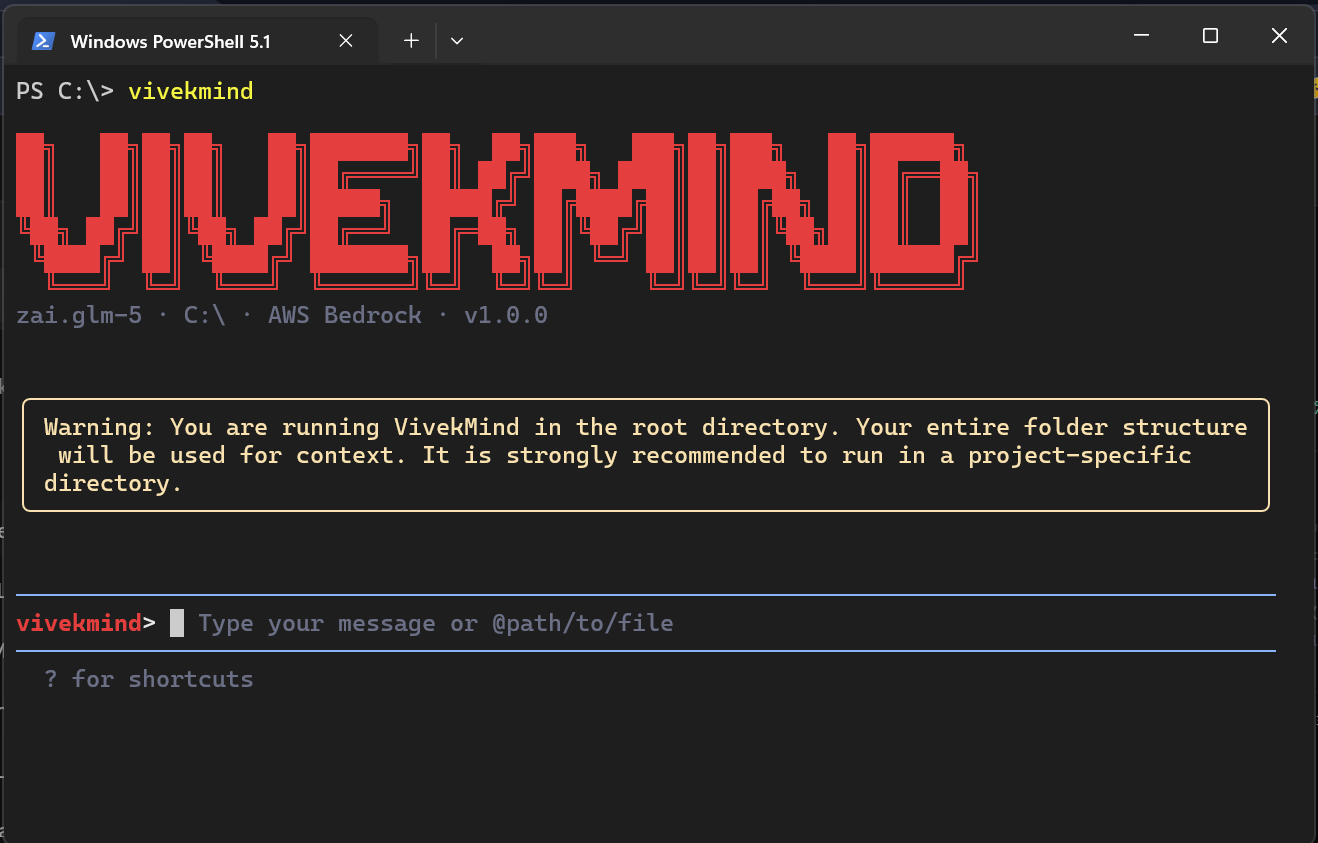
Most terminal AI coding agents make you pick a provider and stay there. Claude Code ties you to Anthropic. Cursor locks you into their cloud. Aider is flexible on providers but has no channel integration — you are stuck at your desk, in your terminal, every time. VivekMind CLI takes a different approach: 22 LLM providers, native AWS Bedrock, MCP support, subagents, and channel bots that let you approve tool calls and monitor agent progress from Telegram, WeChat, or DingTalk. It is open source under Apache 2.0, installable with npm i -g vivekmind, and designed to work the way developers actually work — which often means not sitting in front of a terminal at all.
1. What Is VivekMind CLI?
VivekMind CLI is a terminal-first AI coding agent. You run it in your shell, it reads your codebase, and it can edit files, execute shell commands, search code, manage tasks, spawn subagents, and communicate through messaging platforms — all driven by natural language instructions. It is not a wrapper around a single model API. It is a complete agent runtime that supports 22 LLM providers out of the box, with a plugin architecture for adding more.
The project lives at github.com/Lnxtanx/vivekmind-cli under the Apache 2.0 license. The npm package is vivekmind, and the landing page with the full comparison table is at code.vivekmind.com.
# Install
npm install -g vivekmind

# Or use the short alias
vm

# One-shot prompt
vivekmind -p "refactor the auth module to use JWT"

# Interactive session
vivekmind
The CLI is built as a monorepo with five core packages: @vivekmind/cli (the React + Ink terminal UI), @vivekmind/core (the agent engine, provider adapters, tool registry, and memory system), @vivekmind/web-templates (export and report templates), the channel adapters (@vivekmind/channel-telegram, @vivekmind/channel-weixin, @vivekmind/channel-dingtalk), and @vivekmind/channel-base (the plugin framework for building custom channels). This package separation matters because each layer can be extended independently — you can add a new provider without touching the channel code, or build a custom channel without modifying the core agent loop.
2. The Provider Problem (and How We Solve It)
The terminal AI coding agent space has a provider problem. Claude Code only works with Anthropic. Cursor uses their own cloud infrastructure. Even tools that support multiple providers often treat AWS Bedrock as a second-class citizen — routing through a generic adapter that misses model-specific features like extended thinking, guardrail configurations, or cross-region inference. VivekMind CLI supports 22 providers with a native adapter for each, and the AWS Bedrock integration is genuinely native — not a Vercel AI SDK wrapper, not a third-party bridge, but direct integration using the AWS SDK with auto-discovery of available models.
2.1 Why Native Bedrock Matters
AWS Bedrock is not just another API endpoint. It is an enterprise-grade model hosting service that handles cross-region inference, provisioned throughput, model customization, and IAM-based access control. A generic adapter — like the one OpenCode uses through Vercel AI SDK — treats Bedrock as "Anthropic models hosted on AWS," which misses the point entirely. Bedrock gives you access to Claude, yes, but also Nova, Llama, Mistral, Cohere, DeepSeek, and GLM — all through a single API endpoint with unified billing, compliance guarantees, and data residency controls. When you use a generic adapter, you lose access to most of these capabilities.
VivekMind CLI's native Bedrock integration works differently. It uses your existing AWS IAM credentials — no additional API keys needed. It only requires bedrock:InvokeModel and bedrock:InvokeModelWithResponseStream permissions. And it auto-discovers available models through the ListFoundationModels API, so when AWS adds a new model to Bedrock, VivekMind sees it automatically without a code update.
modelProviders.bedrock"] end subgraph "AWS SDK (Native)" AUTH["IAM Credentials
region + access key"] DISCOVER["ListFoundationModels
Auto-discover models"] INVOKE["InvokeModel
Synchronous calls"] STREAM["InvokeModelWithResponseStream
Streaming responses"] end subgraph "AWS Bedrock" CLAUDE["Claude 3/3.5/4.7"] NOVA["Nova Pro/Lite/Micro"] LLAMA["Llama 3/3.1/3.3/4"] DS["DeepSeek Coder R"] GLM["Zhipu GLM"] MISTRAL["Mistral / Codestral"] COHERE["Cohere Command R+"] end CLI --> CONFIG CONFIG --> AUTH AUTH --> DISCOVER AUTH --> INVOKE AUTH --> STREAM INVOKE --> CLAUDE INVOKE --> NOVA INVOKE --> LLAMA STREAM --> DS STREAM --> GLM STREAM --> MISTRAL STREAM --> COHERE
# Set up AWS credentials (standard AWS CLI workflow)
export AWS_REGION=us-east-1
export AWS_ACCESS_KEY_ID=your-key
export AWS_SECRET_ACCESS_KEY=your-secret

# VivekMind auto-discovers your Bedrock models
vivekmind

# Switch to a Bedrock model mid-session
/model bedrock:anthropic.claude-opus-4-7
For organizations already on AWS, this eliminates an entire category of procurement friction. No new vendor to approve. No separate billing. No data leaving AWS infrastructure. You use your existing credits, reserved capacity, or enterprise agreements. The agent just works with what you already have.
2.2 All 22 Providers at a Glance
Beyond Bedrock, VivekMind CLI ships adapters for 21 additional providers. Each adapter handles authentication, request formatting, streaming, and error recovery for its specific API. The adapters are not thin wrappers — they account for provider-specific quirks like DeepSeek's different streaming format, Gemini's native multimodal inputs, and Ollama's local inference behavior. Here is the full catalog:
| Provider | Auth Type | Example Models |
|---|---|---|
| AWS Bedrock | IAM Credentials | Claude, Nova, Llama, DeepSeek, GLM, Mistral, Cohere |
| Anthropic | API Key | Claude Opus 4.7, Sonnet 4.6, Haiku 4.5 |
| OpenAI | API Key | GPT-5.2, 5.4 Mini, o3, o4-mini |
| Google Gemini | API Key | Gemini 3 Pro, 2.5 Pro, 2.5 Flash |
| Azure OpenAI | API Key + Endpoint | GPT-5.2 (Azure hosted) |
| Anthropic (Vertex AI) | Google Cloud Auth | Claude Opus 4.7 (Vertex) |
| DeepSeek | API Key | Chat V3, Reasoner R1 |
| Mistral AI | API Key | Mistral Large, Codestral, Pixtral |
| Alibaba DashScope | API Key | Qwen3 Coder Plus, Qwen VL Max |
| xAI (Grok) | API Key | Grok 4 |
| OpenRouter | API Key | Any model via OpenRouter |
| Groq | API Key | Llama 3.3 70B (Groq) |
| Together AI | API Key | Llama 3.3 70B (Together) |
| Fireworks AI | API Key | Llama 4 Maverick (Fireworks) |
| Cohere | API Key | Command R+ |
| Perplexity | API Key | Sonar Pro |
| SiliconFlow | API Key | DeepSeek V3 (SiliconFlow) |
| Hugging Face | API Key | Llama 3.3 70B (HF) |
| IBM Watsonx | API Key | Llama 4 Maverick (Watsonx) |
| Novita AI | API Key | Llama 3.1 70B (Novita) |
| Ollama | Local (localhost:11434) | Any local model |
| LM Studio | Local (localhost:1234) | Any loaded model |
The BYOK (Bring Your Own Key) model means you pay only for what you use through each provider. No subscription, no per-seat fee, no markup. If you have AWS credits, Bedrock is effectively free up to your credit limit. If you are experimenting locally, Ollama and LM Studio cost nothing at all. This is a deliberate design choice — the agent should never be more expensive than the underlying model provider.
3. Channel Bots: Code From Anywhere
This is the feature that makes VivekMind CLI genuinely different from every other terminal AI coding agent. You can start a long-running coding task at your desk, walk away, and monitor progress from your phone. Not just read logs — actually interact with the agent, approve or deny tool calls, answer questions, and trigger follow-up actions, all through a Telegram chat. WeChat and DingTalk are supported for the Chinese and Asian developer markets where those platforms dominate.
3.1 Telegram: The Flagship Channel
The Telegram integration is not a simple notification forwarder. It is a fully interactive bot that gives you real-time visibility and control over your running agent. Here is what happens when you start a VivekMind session with a Telegram channel active:
Real-time tool status display. As the agent works, your Telegram chat shows a live-updating status card. It starts with a "Thinking..." indicator. As tools execute, each one appears on its own line with an icon and status — for example, a magnifying glass icon next to [read_file] completed, or a pencil icon next to [write_file] in progress. The display caps at 8 lines to keep the chat readable, truncating older steps with a "+N more" indicator. A running footer shows "3 tools done, 1 active, 12s." When the agent finishes, it updates to "Done — 4 tools completed in 18s" and auto-clears after 5 seconds, keeping your chat history clean.
Interactive tool approval. This is where Telegram goes from "nice notification system" to "genuinely useful remote control." When the agent wants to write a file, execute a shell command, or perform any action that requires permission, Telegram renders inline approval buttons directly in the chat. You get three options: Allow Once (approve this specific action), Always Allow (auto-approve future calls from this tool — trust it permanently), and Deny (block the action). No need to SSH into your machine. No need to be at your desk. You see exactly what the agent wants to do, and you approve or deny it with a tap.
Interactive question prompts. When the agent needs clarification — maybe the request is ambiguous, or it needs to choose between two approaches — it sends a numbered question prompt to Telegram with interactive buttons. You tap your answer, and the agent continues. This is the same mechanism as the terminal-based askUserQuestion tool, but adapted for a chat interface where you cannot type free text as easily.
# Set up Telegram channel (interactive — walks you through bot creation)
vivekmind channel configure-telegram

# Start a named Telegram channel
vivekmind channel start my-telegram

# Check channel status
vivekmind channel list
The underlying framework is grammY, a TypeScript Telegram Bot framework. The bot runs as a daemon process alongside your VivekMind session, forwarding messages between Telegram and the core agent engine through the ACP (Agent Communication Protocol) bridge. This architecture means the Telegram bot is not a separate application — it is a thin transport layer that multiplexes your chat messages into the same agent loop that the terminal UI uses.
3.2 WeChat and DingTalk
The WeChat and DingTalk adapters serve a different market. In China and much of Southeast Asia, WeChat is the primary communication platform, and DingTalk is standard for enterprise workflows. Western AI coding tools do not support these platforms at all — they barely acknowledge they exist. VivekMind CLI ships with both adapters, plus a plugin framework (@vivekmind/channel-base) for building custom channel integrations.
The WeChat adapter (@vivekmind/channel-weixin) provides standard chat integration with secure login. The DingTalk adapter (@vivekmind/channel-dingtalk) supports stream connections and business workflow hooks, which enables integration with DingTalk's approval flows and notification systems. Both adapters use the same ACP bridge as the Telegram adapter, so adding a new channel does not require changes to the core agent engine — you just implement the channel interface and plug it in.
(grammY)"] WX_CLIENT["WeChat
(weixin adapter)"] DT_CLIENT["DingTalk
(dingtalk adapter)"] CUSTOM["Custom Channel
(channel-base)"] end subgraph "Channel Framework" CB["Channel Base"] ACP["ACP Bridge
(Agent Communication Protocol)"] ROUTER["Session Router"] end subgraph "Core Engine" AGENT["Agent Loop"] TOOLS["Tool Executor"] PERMISSIONS["Permission Manager"] end subgraph "Telegram Features" STATUS["Live Tool Status
8-line display + footer"] APPROVE["Inline Approval Buttons
Allow Once / Always / Deny"] QUESTIONS["Interactive Question Prompts"] end TG_CLIENT --> CB WX_CLIENT --> CB DT_CLIENT --> CB CUSTOM --> CB CB --> ACP ACP --> ROUTER ROUTER --> AGENT AGENT --> TOOLS AGENT --> PERMISSIONS PERMISSIONS -->|"approval request"| ACP ACP -->|"inline buttons"| TG_CLIENT TOOLS -->|"status update"| ACP ACP -->|"live status card"| STATUS ACP -->|"approval flow"| APPROVE AGENT -->|"clarification needed"| ACP ACP -->|"numbered buttons"| QUESTIONS
The practical impact of channel bots is bigger than it sounds. Developers do not always sit at their terminals. You might start a refactoring task, then go to a meeting. You might kick off a bug investigation, then step out for lunch. Without channel bots, that agent just sits there waiting for permission — or worse, runs unsupervised. With Telegram, you get a notification on your phone, see what the agent is doing, approve the write operation, and the agent continues. The agent becomes async — you do not need to be synchronous with it.
4. MCP (Model Context Protocol)
MCP has become the standard way for AI tools to discover and use external capabilities. Anthropic created the protocol, and it has been adopted widely — Claude Code supports MCP natively, Aider has community MCP support via AiderDesk and third-party bridges, and IDE-based tools like Cursor and Windsurf also support it. VivekMind CLI implements a full MCP client using the @modelcontextprotocol/sdk, which means it can connect to any MCP server and use its tools, prompts, and resources.
Adding MCP servers to VivekMind is straightforward. You configure them in settings.json under the mcpServers key, or use the interactive /mcp slash command. Tools from MCP servers appear alongside built-in tools in the unified tool registry — the agent does not distinguish between a built-in tool and an MCP-provided tool. They share the same execution pipeline, the same permission model, and the same result formatting.
{
  "mcpServers": {
    "filesystem": {
      "command": "npx",
      "args": ["-y", "@mcp/filesystem"]
    },
    "postgres": {
      "command": "npx",
      "args": ["-y", "@mcp/postgres", "$DATABASE_URL"]
    },
    "github": {
      "command": "npx",
      "args": ["-y", "@mcp/github"],
      "env": {
        "GITHUB_TOKEN": "$GITHUB_TOKEN"
      }
    }
  }
}
The MCP client also supports OAuth with Google Auth and service account impersonation, which is necessary for connecting to enterprise MCP servers that require authenticated access. This matters because MCP adoption in enterprise environments is growing fast — internal tool servers for databases, CI/CD pipelines, and monitoring systems are increasingly exposing MCP interfaces, and VivekMind CLI can connect to all of them.
5. Subagents and the Agent Tool
Complex coding tasks often decompose into independent subtasks. "Refactor the auth module and update the tests" is really two tasks — one that modifies source files, and one that verifies those modifications. Running them sequentially in a single agent loop works, but it is slow and the context gets polluted with details from the first task while working on the second. Subagents solve this by spawning focused, isolated agent instances for each subtask.
VivekMind CLI's subagent system is built on the Agent tool. When the parent agent decides a task needs delegation, it calls the Agent tool with a focused prompt and a restricted tool set. The subagent runs in its own context — it does not see the parent's full conversation history, only the prompt and the files it needs to work with. This isolation is critical for quality: a subagent working on tests should not be distracted by the refactoring context, and vice versa.
Focused prompt + restricted tools"] end subgraph "Child Agent 1 (tmux)" C1_AGENT["Subagent Loop"] C1_CONV["Isolated Context"] C1_TOOLS["Edit, ReadFile, Shell"] end subgraph "Child Agent 2 (In-process)" C2_AGENT["Subagent Loop"] C2_CONV["Isolated Context"] C2_TOOLS["ReadFile, Grep, Glob"] end P_AGENT --> P_CONV P_AGENT -->|"complex subtask"| SPAWN SPAWN -->|"tmux / iTerm / in-process"| C1_AGENT SPAWN -->|"explore-only mode"| C2_AGENT C1_AGENT --> C1_CONV C1_AGENT --> C1_TOOLS C2_AGENT --> C2_CONV C2_AGENT --> C2_TOOLS C1_AGENT -->|"result + summary"| P_AGENT C2_AGENT -->|"findings"| P_AGENT
Subagents can run in three execution environments: tmux (terminal multiplexer, so the subagent gets its own visible terminal pane), iTerm (macOS-specific, opens a new tab), or in-process (same terminal session, runs inline). The execution environment is configurable per agent. For long-running tasks like "implement the full CRUD API," tmux is ideal because you can see the subagent working in a separate pane. For quick exploration tasks like "find all files that import the deprecated function," in-process is faster because there is no subprocess overhead.
Two built-in subagent types ship with VivekMind: general-purpose (the default, can use all tools) and Explore (read-only, cannot modify files). You can define custom agents by adding .md files to .vivekmind/agents/, configuring tool subsets, model preferences, and generation methods. This extensibility model mirrors the skills system — the same priority resolution (project-level overrides user-level overrides bundled) applies to agent definitions as well.
It is worth noting that subagent support is not unique to VivekMind. Claude Code also supports subagents, and its implementation is solid. The difference is context: VivekMind's subagents work across all 22 providers and can be monitored through channel bots. A Claude Code subagent can only use Anthropic models. A VivekMind subagent can use Bedrock Nova for exploration (cheapest) and switch to Claude Opus for complex edits (most capable) — provider-agnostic subagents with cost-optimized model routing.
6. Memory, Skills, and Project Context
A coding agent that forgets everything between sessions is a chatbot with file access. VivekMind CLI's memory system gives the agent persistent knowledge across conversations, and the skills system gives it domain-specific expertise that activates based on the files you are working with.
6.1 Memory System
The memory system has three components: auto-extraction, dream consolidation, and relevance recall. Auto-extraction runs on every conversation turn, identifying key facts (project structure, API patterns, team conventions) and saving them to per-project storage at ~/.vivekmind/auto-memory/. Dream consolidation runs periodically — it merges and deduplicates memory entries so that "the auth module uses JWT" stored three times across three sessions becomes a single canonical entry. Relevance recall injects the most relevant memories into the agent's prompt before each session, so the agent starts with context about your project instead of starting from scratch.
# Manual memory management
/remember "This project uses pnpm, not npm"
/remember "The database is PostgreSQL 15 on AWS RDS"

# View and manage stored memories
/memory

# Remove outdated memories
/forget "old deployment info"
6.2 Skills System
Skills are reusable knowledge bundles that activate conditionally based on file path patterns. A skill for React components might activate when you are editing .tsx files. A skill for AWS Lambda might activate when it detects a serverless.yml in the project root. Skills have four priority levels: project-level (highest, stored in .vivekmind/skills/), user-level (global to your machine), extension-level (installed from community packages), and bundled (shipped with VivekMind, lowest priority). Higher-priority skills override lower ones, so your project-specific conventions always take precedence over generic defaults.
Each skill can define pre-execution and post-execution hooks — shell commands or HTTP calls that run before or after the agent uses the skill. This is useful for enforcing workflow rules: a skill might run a linter before allowing edits, or trigger a deployment hook after a file is saved. Skills also support live reload via a file watcher, so changes to a skill definition take effect immediately without restarting the agent.
6.3 Project Configuration
.vivekmind/
├── commands/        # Custom slash commands (*.md files)
├── skills/          # Custom skills (SKILL.md files)
├── agents/          # Custom subagents (*.md files)
├── memory/          # Seeded project knowledge
├── config.json      # Per-project overrides
└── VIVEKMIND.md     # Project rules and context (always loaded)
The VIVEKMIND.md file is always loaded into the agent's context — it is the project-level equivalent of CLAUDE.md or .cursorrules. This is where you put project-specific conventions, architectural decisions, and coding standards that the agent should always follow. Use .vivekmindignore to exclude files from the agent's attention, similar to .gitignore.
7. Built-in Tools and 40+ Slash Commands
VivekMind CLI ships with 14+ built-in tools that cover the core coding agent workflow. Every tool is available to the agent through the unified tool registry, and every tool call goes through the permission manager — the agent cannot execute a write operation or shell command without user approval (unless you have set "Always Allow" for that tool).
| Tool | Description | Permission Required |
|---|---|---|
| Edit | Search-and-replace file editing | Yes (write) |
| WriteFile | Create or overwrite files | Yes (write) |
| ReadFile | Read file contents | No (read-only) |
| Grep | Regex search across files (bundles ripgrep) | No (read-only) |
| Glob | Find files by pattern | No (read-only) |
| Shell | Execute shell commands | Yes (dangerous) |
| TodoWrite | Track and manage task progress | No |
| Agent | Spawn subagents for complex tasks | Yes (spawns child) |
| WebFetch | Fetch and read web pages | No (read-only) |
| Lsp | Language Server Protocol integration | No (read-only) |
| SaveMemory | Save information to project memory | No |
| SendMessage | Send messages via channel integrations | Yes (external) |
| Monitor | Watch files and processes for changes | No (read-only) |
| Cron | Schedule and manage recurring tasks | Yes (creates jobs) |
Beyond tools, VivekMind CLI exposes 40+ slash commands for session management, configuration, and workflow control. The most frequently used commands are /model (switch providers mid-session), /compress (compress chat history to save context), /plan (enter planning mode for complex tasks), and /arena (compare models head-to-head on the same prompt). Custom slash commands can be added by placing .md files in .vivekmind/commands/.
| Category | Commands |
|---|---|
| Session | /model, /compress, /clear, /resume, /rewind, /plan, /export |
| Memory | /memory, /remember, /forget |
| Tools & Extensions | /skills, /tools, /mcp, /agents |
| Configuration | /settings, /doctor, /init, /theme, /vim, /hooks |
| Channels | /channel (start, stop, status, list, configure-telegram) |
| Advanced | /arena (model comparison) |
8. Security Model
A terminal AI coding agent that can edit files and execute shell commands needs a robust security model, or it is just a very expensive way to run rm -rf /. VivekMind CLI implements security at three layers: permission prompts, environment variable isolation, and sandbox execution.
Permission prompts. Every write operation, shell command, and external communication requires explicit user approval. The agent presents what it wants to do, and the user approves or denies. This approval flow extends to channel bots — the Telegram inline approval buttons are the same permission system, just adapted for a chat interface. The "Always Allow" option exists for trusted tools, but it is opt-in and scoped per tool, not global.
Environment variable isolation. API keys are never stored in settings.json. The configuration uses an envKey field that references environment variables at runtime. Your ANTHROPIC_API_KEY, AWS_ACCESS_KEY_ID, and other credentials stay in your shell environment where they belong — not in a JSON file that might get committed to version control. This is a small design decision that prevents a very large class of security incidents.
Sandbox execution. VivekMind CLI supports Docker and Podman sandboxes for isolated code execution. When sandbox mode is enabled, the agent's shell commands run inside a container with restricted filesystem access and no network access by default. This is essential for untrusted code generation scenarios — when the agent is writing and executing code it generated itself, a sandbox prevents that code from accessing your host system.
9. Headless and CI Mode
Not every use case involves a human at a terminal. VivekMind CLI supports headless mode for CI/CD pipelines, automated code review, and programmatic code generation. In headless mode, the agent runs a single prompt, produces output, and exits — no interactive session, no terminal UI.
# One-shot prompt with text output
vivekmind -p "fix the failing test in auth.test.ts"

# JSON output for programmatic processing
vivekmind -p "list all TODOs in the codebase" --output json

# Stream JSON for real-time pipeline integration
vivekmind -p "refactor the payment module" --output stream-json
The --output json flag produces structured JSON with the agent's response, tool calls, and results. The --output stream-json flag emits JSON events as they happen — thinking chunks, tool executions, and final answers — enabling real-time integration with CI dashboards, code review bots, or custom automation pipelines. This is how VivekMind CLI becomes more than a developer tool — it becomes a programmable coding agent that other systems can invoke.
10. The Comparison That Matters
There are a lot of AI coding agents now. Here is how VivekMind CLI compares to the ones developers actually use, with accurate feature attribution:
| Feature | VivekMind | Claude Code | Aider | Cursor |
|---|---|---|---|---|
| Open Source | Apache 2.0 | Proprietary | Apache 2.0 | Proprietary |
| LLM Providers | 22 | 1 (Anthropic) | Multiple | Limited |
| AWS Bedrock Native | Yes | No | No | No |
| MCP Support | Yes | Yes | Community | Yes |
| Channel Bots | Telegram/WeChat/DingTalk | No | No | No |
| Subagents | Yes | Yes | No | No |
| Memory System | Auto + Manual | No | Yes | No |
| Terminal-first | Yes | Yes | Yes | IDE-based |
| Cost | BYOK (free) | $20-200/mo | BYOK (free) | $20/mo |
The comparison table tells the story. Claude Code is excellent if you are all-in on Anthropic. Aider is great for multi-provider terminal coding but lacks subagents and channel bots. Cursor is the best IDE experience but locks you into their cloud. VivekMind CLI occupies the intersection that none of them cover: open source, 22 providers, native AWS Bedrock, and channel bots that let you interact with your agent from anywhere. It is not better than Claude Code at being Claude Code. It is the only option when you need Bedrock, or Telegram, or both.
11. Getting Started
Installation takes under a minute. You need Node.js 20 or later, and at least one API key for a supported provider.
# Install globally via npm
npm install -g vivekmind

# Or use the installer script (macOS/Linux)
curl -fsSL https://vivekmind-assets.oss-cn-hangzhou.aliyuncs.com/installation/install_vivekmind.sh | bash

# Set your provider key
export ANTHROPIC_API_KEY=sk-ant-...
# or: export OPENAI_API_KEY=sk-...
# or: export AWS_REGION=us-east-1 && export AWS_ACCESS_KEY_ID=...

# Start
vivekmind
On first run, VivekMind creates ~/.vivekmind/settings.json with default configuration. You can customize providers, model preferences, MCP servers, and channel settings there. For project-specific configuration, run /init inside a project directory to create the .vivekmind/ folder with VIVEKMIND.md, custom commands, and agent definitions.
The project is open source under Apache 2.0. The repository is at github.com/Lnxtanx/vivekmind-cli. Issues, feature requests, and pull requests are welcome. The landing page with documentation and the full comparison table is at code.vivekmind.com.